cwmail
A terminal email client with proper HTML rendering, inline image support, multi-account IMAP, and AI-drafted replies powered by DeepSeek V4 Pro.
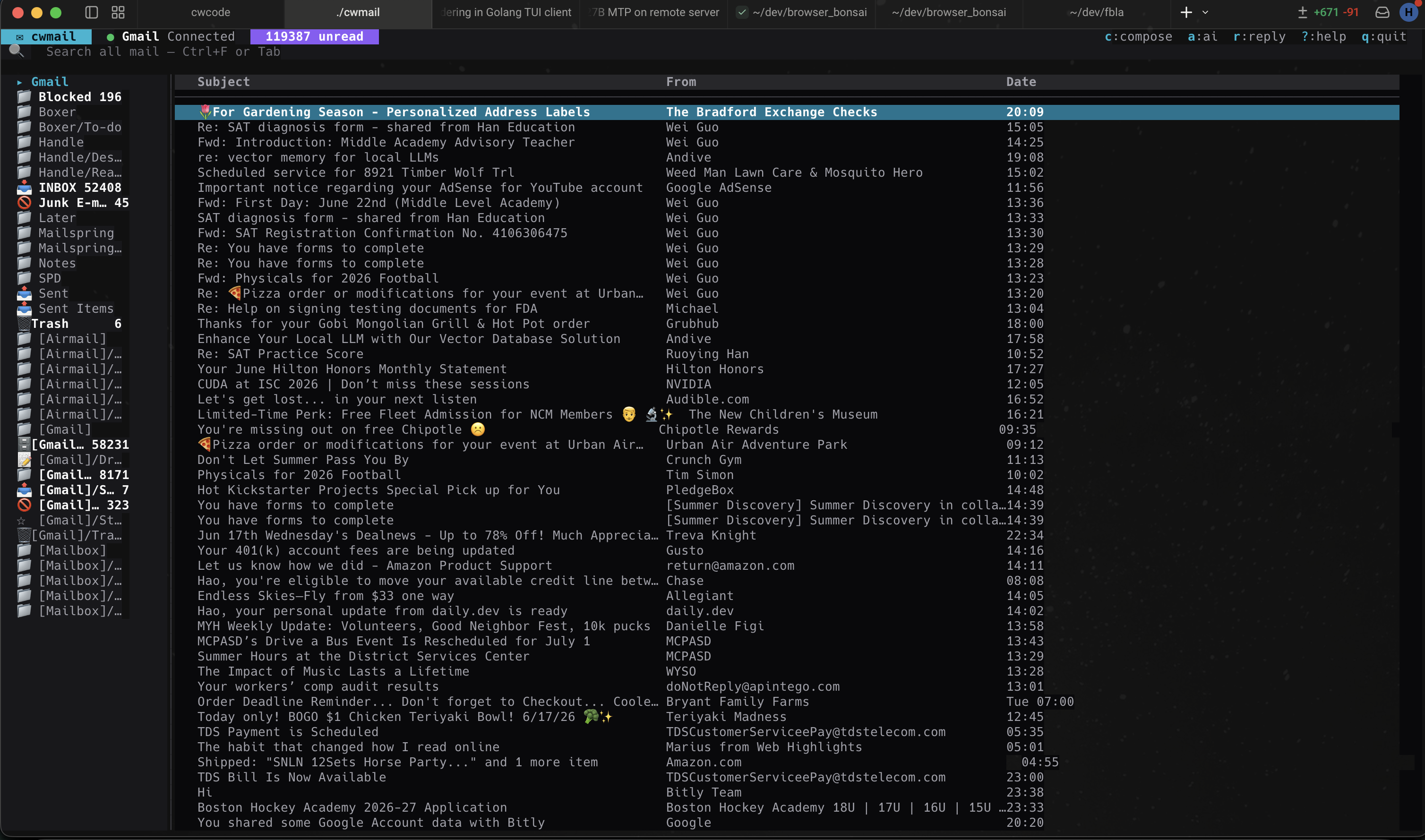
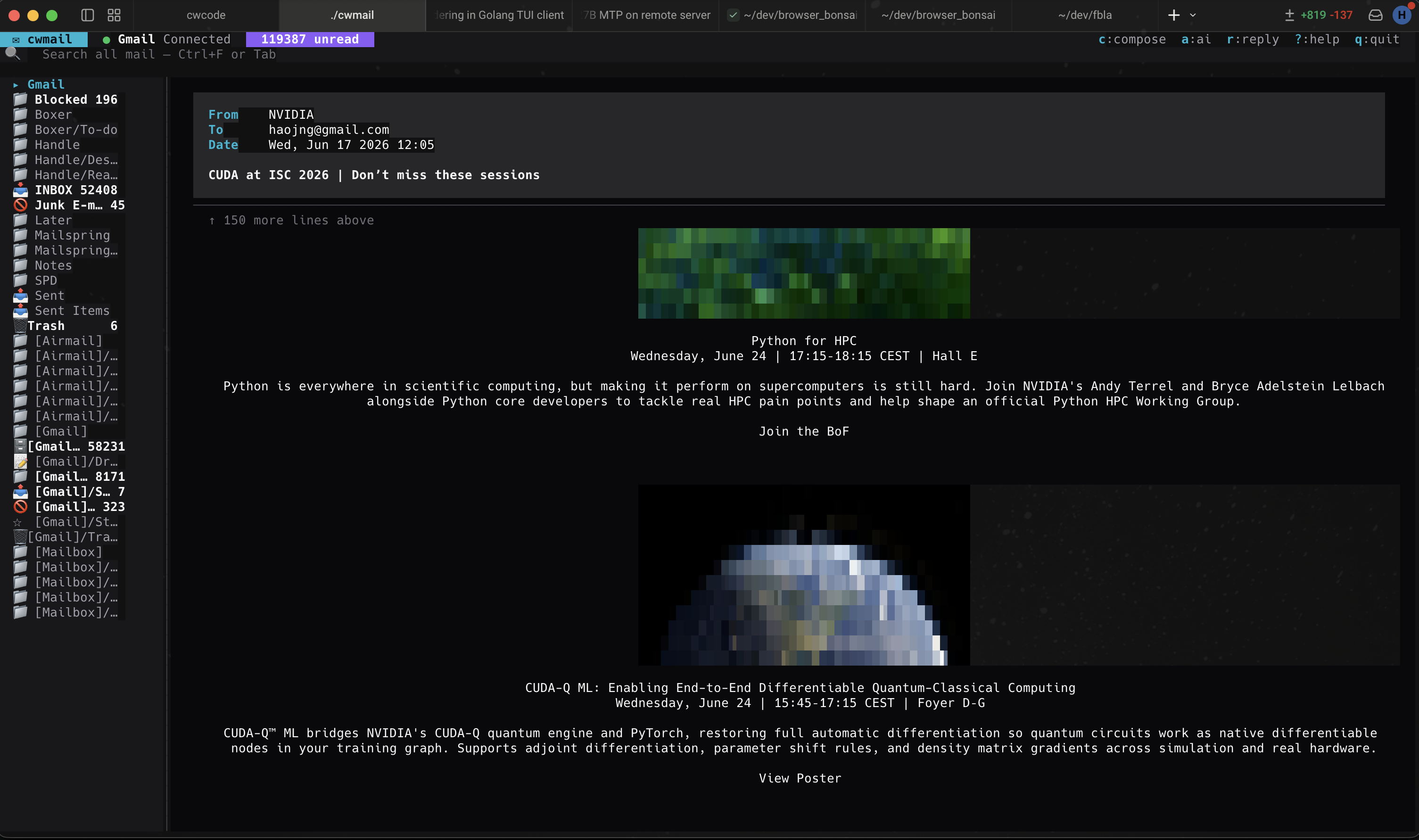
Written in Go on Bubbletea v2. Reads real mail. Renders HTML newsletters, receipts, calendar invites, and event posters without dropping out to a browser. Drafts replies you can edit in place.
Gmail, iCloud, Outlook, custom
not polling
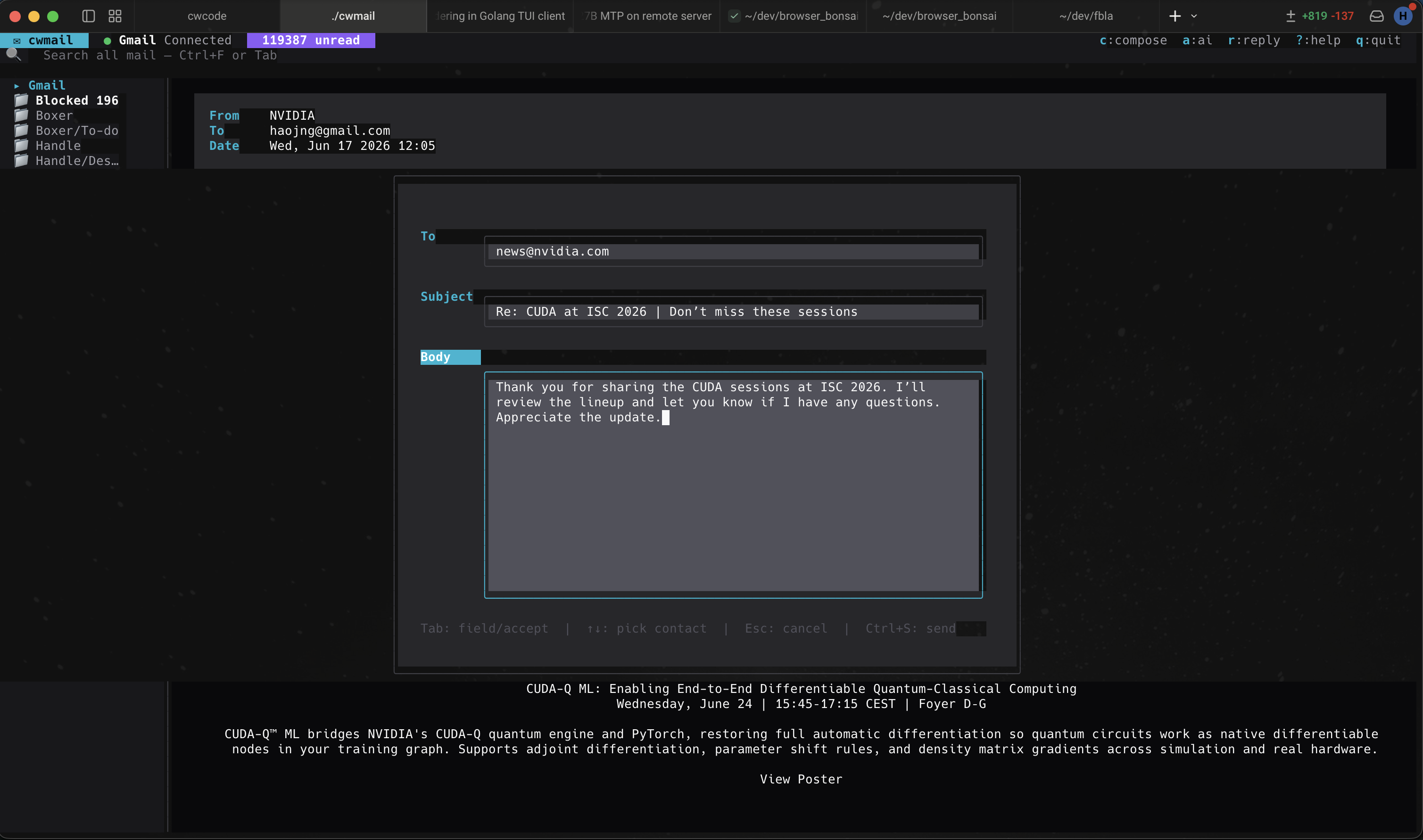
drafts your reply
What it is
cwmail is a full-screen Bubbletea TUI for managing IMAP mailboxes. It handles the actual hard parts of email — MIME multipart, HTML rendering, charset detection, inline images, attachments, threading, drafts — not just the obvious ones.
You can manage as many IMAP accounts as you want side-by-side in the sidebar. Folder navigation is fast (Vim-style or arrows), full-text search hits the local SQLite mirror so it returns instantly, and IDLE push keeps your inbox current without polling. Desktop notifications fire when new mail arrives.
The AI-drafted-reply feature is a one-key action: hit R on
any open message and the model produces a contextual reply draft in the
composer. You can edit, send, save as draft, or discard. Same DeepSeek
profile cwcode uses, so one API key powers both apps.
It is not a service. There is no cwmail.io. Your IMAP credentials sit
in ~/.config/cwmail/config.json; everything else lives in
~/.local/share/cwmail/. Offline-capable for everything
except actually sending and fetching.
Why it’s different
pixterm-style rendering). Works on
any terminal with true-color support. Useful for event banners,
product photos in receipts, and inline charts.
R on any open message. The DeepSeek V4 Pro model
drafts a contextual reply (using the same profile cwcode uses).
You see the draft in the composer ready to edit. The model knows
the prior thread, your typical tone, and whether to be terse or
warm based on the conversation. Costs ~$0.01 per draft.
u and the message comes back.
Matches matcha.email’s UX for the most common reflex
mistake.
~/.local/share/cwmail/drafts/ every few
keystrokes. Crash, force-quit, accidentally close the window
— the draft is still there next time you launch.
cwmail send --to alice@example.com --subject “build done”
          --body “all green”
— non-interactive sending,
useful for AI agents (cwcode included), CI pipelines, and shell
scripts. Reads body from stdin too. Same auth as the TUI.
~/.local/share/cwmail/. You can grep your own
mail. Credentials live in the OS keyring (macOS Keychain, libsecret
on Linux, Credential Manager on Windows).
What it looks like
Install
Download a pre-built binary from the
Google Drive release folder
(current build: v0.9; macOS arm64 / amd64 and Linux amd64). Drop it
somewhere on your PATH and make it executable:
curl -L <download-url> -o ~/.local/bin/cwmail
chmod +x ~/.local/bin/cwmail
cwmail --help
Configure your first IMAP account in
~/.config/cwmail/config.json:
{
  "accounts": [
    {
      "name":     "Gmail",
      "imap":     "imap.gmail.com:993",
      "smtp":     "smtp.gmail.com:587",
      "username": "you@gmail.com"
    }
  ],
  "ai": {
    "endpoint":  "https://api.deepseek.com",
    "model":     "deepseek-v4-pro",
    "api_key":   "sk-..."
  }
}
Run it.
cwmail                                # full TUI
cwmail send --to a@b.com --subject hi # non-interactive send
cwmail compose                        # straight to composer
On first launch cwmail prompts for the Gmail app-password (or OAuth flow), stores it in the OS keyring, and starts the IDLE connection.
FAQ
/ for instant search across subject, body, and
sender. Server-side search is also exposed via /i:.Enter; navigation walks the tree.Ctrl+S.cwmail send as a CLI tool. We use this for “ship
a build, email the team” runs at the end of long autonomous
loops.